Online API Testing Tool: Test REST APIs in Your Browser (2026 Guide)
Learn how an online API testing tool helps you test REST APIs in your browser. Compare features, workflows, and best practices for 2026.
Modern applications depend on APIs for everything from authentication and payments to search, analytics, and AI integrations. As APIs become more important, developers need faster and easier ways to validate functionality, monitor performance, and identify issues before they reach production.
An online API testing tool helps developers test REST APIs directly from their browser without installing desktop software or managing complex environments.
In this guide, you'll learn what an online API testing tool is, why developers use browser-based testing, key features to look for, and how to test REST APIs efficiently in 2026.
If you are new to API testing, start with API Testing for Beginners. For a full REST playbook, read How to Test REST APIs.
What Is an Online API Testing Tool?
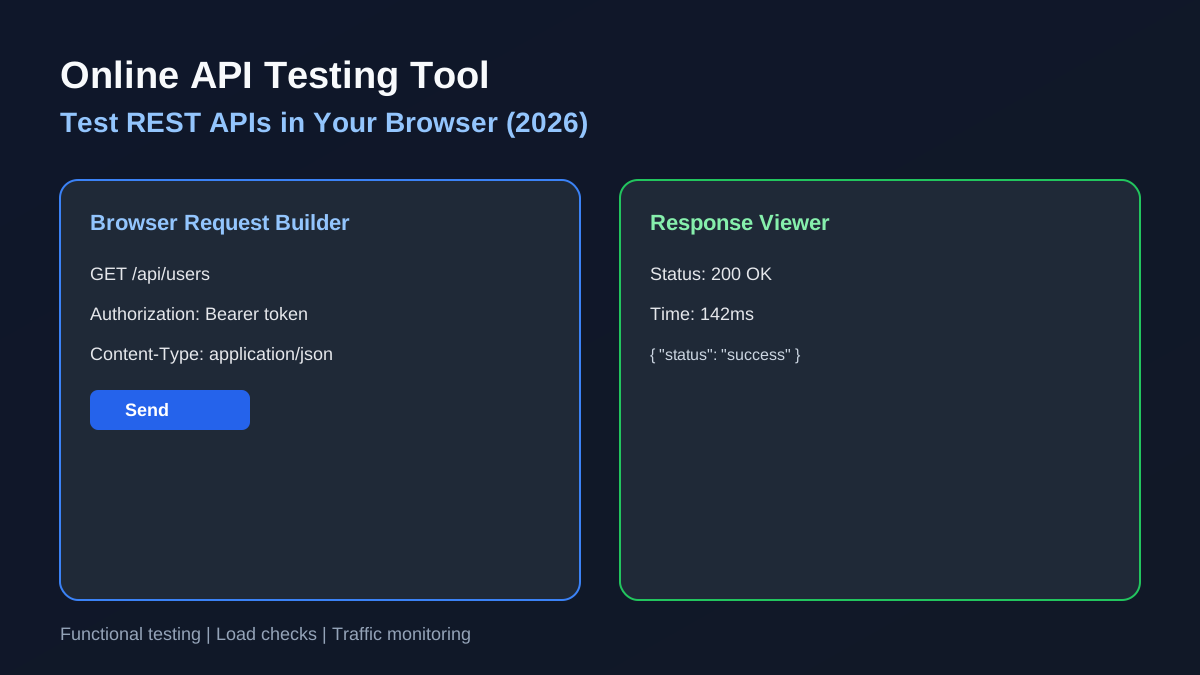
An online API testing tool allows developers to create, send, and analyze API requests directly from a web browser.
Instead of downloading heavy software, developers can:
- Send GET requests
- Test POST endpoints
- Validate API responses
- Review status codes
- Check response times
- Debug API issues
- Run load tests
- Monitor traffic
Everything happens through a browser interface, making API testing accessible from any device.
Why Use an Online API Testing Tool?
Traditional API testing tools often require installation, workspace setup, and regular updates.
An online API testing tool offers several advantages:
Faster Setup
Open your browser and start testing immediately.
Access Anywhere
Work from any device without installing software.
Easier Collaboration
Share requests and testing workflows across teams.
Lower Learning Curve
Simple interfaces help developers focus on testing rather than configuration.
Ideal for Modern Teams
Remote teams, agencies, SaaS startups, and freelancers benefit from browser-based workflows.
How Online API Testing Works
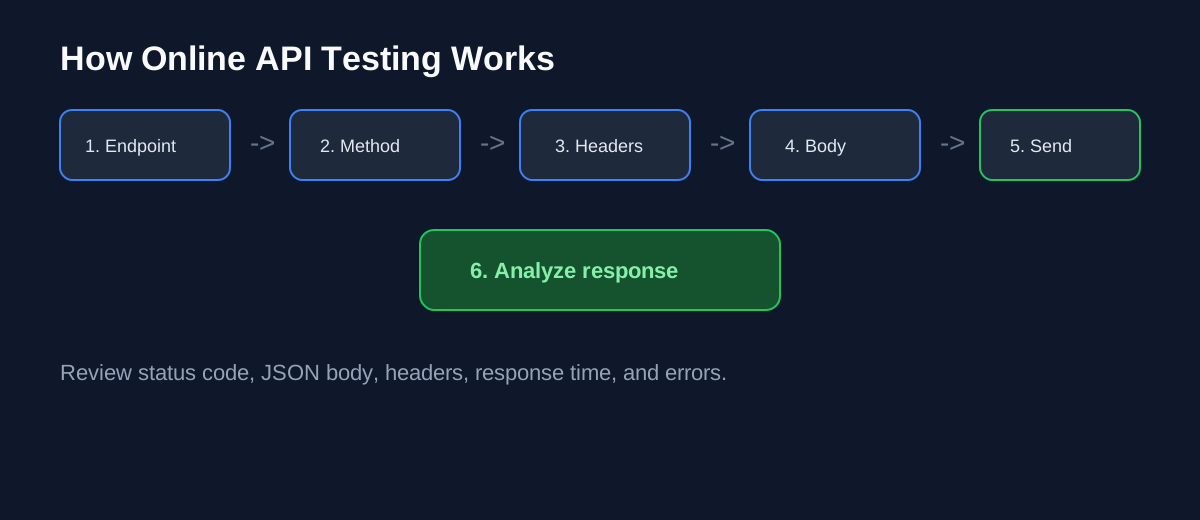
Most online API testing platforms follow a simple process.
Step 1: Enter API Endpoint
Example:
GET https://api.example.com/usersStep 2: Select HTTP Method
Choose GET, POST, PUT, PATCH, or DELETE.
Step 3: Add Headers
Example:
Authorization: Bearer YOUR_TOKEN
Content-Type: application/json
Step 4: Add Request Data
For POST or PUT requests:
{
  "name": "John Doe",
  "email": "john@example.com"
}
Step 5: Send Request
Execute the request directly from your browser.
Step 6: Analyze Response
Review status code, response body, headers, response time, and error messages.
Key Features of a Good Online API Testing Tool
Not all tools provide the same capabilities. Here are the most important features developers should look for.
REST API Testing
Support for all major HTTP methods and REST workflows.
Response Validation
View formatted JSON responses and validate returned data.
Authentication Support
Test APIs that use Bearer tokens, API keys, OAuth, and basic authentication.
Response Time Tracking
Monitor endpoint speed and latency.
Load Testing
Simulate traffic to evaluate API performance under load. See How to Load Test APIs.
Traffic Monitoring
Track requests, errors, and response trends.
Browser-Based Access
No installation required.
Benefits of Browser-Based API Testing
Browser-based testing has become increasingly popular because it removes unnecessary complexity.
No Installation Required
Start testing immediately without downloads.
Faster Debugging
Identify problems quickly during development.
Better Accessibility
Use the same workflow across devices and operating systems.
Reduced Maintenance
No software updates or environment issues.
Improved Productivity
Spend more time testing and less time configuring tools.
Common Use Cases
An online API testing tool can be used for many scenarios:
- Testing new endpoints during development
- Frontend integration validation
- API debugging and error investigation
- Performance testing and bottleneck detection
- Load testing during traffic spikes
- Production monitoring after deployment
For bottleneck analysis, read How to Find API Bottlenecks.
Online API Testing vs Desktop API Testing Tools
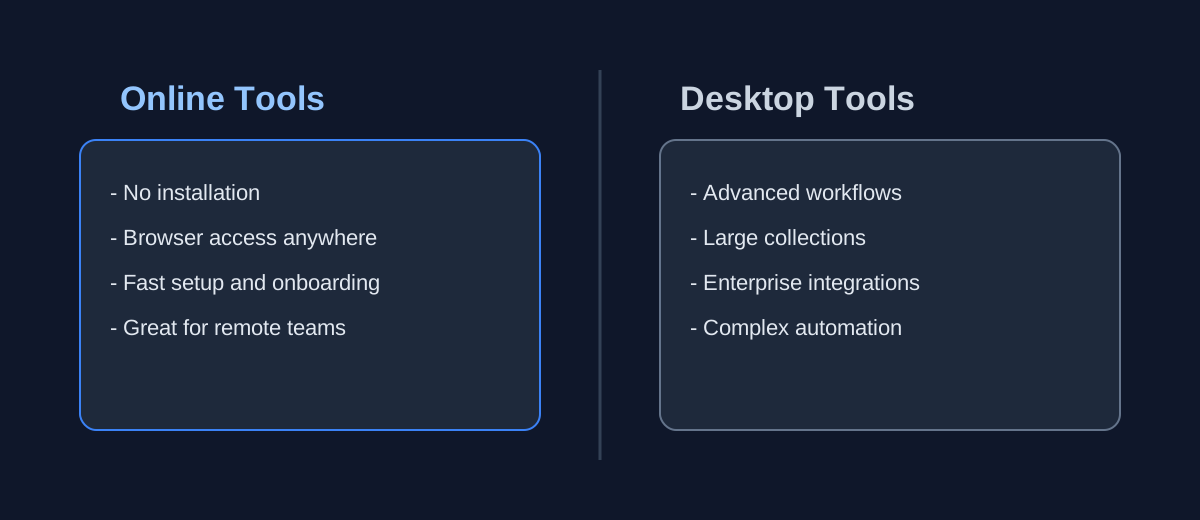
Online API Testing Tools
Advantages:
- No installation
- Browser access
- Quick setup
- Faster onboarding
- Accessible anywhere
Best for freelancers, SaaS founders, small teams, agencies, and rapid testing.
Desktop API Testing Tools
Advantages:
- Advanced workflows
- Large collections
- Enterprise integrations
Best for large organizations, complex testing environments, and advanced automation.
Both approaches have value, but browser-based tools continue growing because of simplicity and speed.
Online API Testing for REST APIs
REST APIs remain the most common API architecture used by modern applications.
An online API testing tool should support GET, POST, PUT, PATCH, and DELETE requests.
Developers should also verify status codes, response structure, error handling, authentication, and performance.
API Performance Testing
Functional testing confirms that an API works. Performance testing confirms that it works under real conditions.
Important metrics include:
- Response time
- Latency
- Error rate
- Throughput
- Availability
Performance testing helps identify problems before users experience them.
Why API Monitoring Matters
Testing before launch is important. Monitoring after launch is equally important.
API monitoring helps teams detect failures, track slow endpoints, identify traffic spikes, monitor error rates, and improve reliability.
Without monitoring, issues may go unnoticed until customers report them.
Why Developers Choose API Test Lab
API Test Lab is an online API testing tool designed for developers who need a simple workflow for API testing, load testing, and traffic monitoring.
With API Test Lab, you can:
- Test REST APIs online
- Validate responses
- Check status codes
- Measure response times
- Run load tests
- Monitor traffic
- Identify bottlenecks
- Improve API reliability
Everything happens from one browser-based dashboard with no complicated setup.
[Start testing free](/signup) or compare options in our Free API Testing Tool for Developers guide.
If you are evaluating load testing platforms, also read Postman Alternative for Load Testing.
Best Practices for Online API Testing
Follow these practices for better API quality:
- Test early during development
- Validate responses, not just status codes
- Test error scenarios with invalid input
- Measure performance and latency
- Load test critical endpoints
- Monitor production APIs after deployment
- Document APIs clearly for developers and QA teams
Frequently Asked Questions
What is an online API testing tool?
An online API testing tool allows developers to test APIs directly from a browser without installing software.
Can I test REST APIs online?
Yes. Online API testing tools allow developers to test REST APIs, inspect responses, and measure performance through a web interface.
Is browser-based API testing secure?
Most modern tools support secure HTTPS connections and authentication methods such as API keys and bearer tokens.
Can online API testing tools perform load testing?
Some tools, including API Test Lab, provide load testing capabilities alongside functional API testing.
Why use an online API testing tool instead of desktop software?
Online tools offer faster setup, browser access, easier collaboration, and reduced maintenance.
Final Thoughts
Choosing the right online API testing tool can significantly improve development speed, API quality, and overall reliability.
Whether you're building a SaaS application, mobile backend, ecommerce platform, or internal business system, browser-based API testing helps teams work faster and catch issues earlier.
API Test Lab combines API testing, load testing, and traffic monitoring into one streamlined workflow, helping developers ship reliable APIs with confidence.
[Start testing today](/signup) at API Test Lab.
More from the blog
Read 3 related articles from our latest posts.