Free API Testing Tool for Developers in 2026
Find a free API testing tool for developers in 2026. Test REST APIs, check responses, run load tests, and monitor traffic from one dashboard.
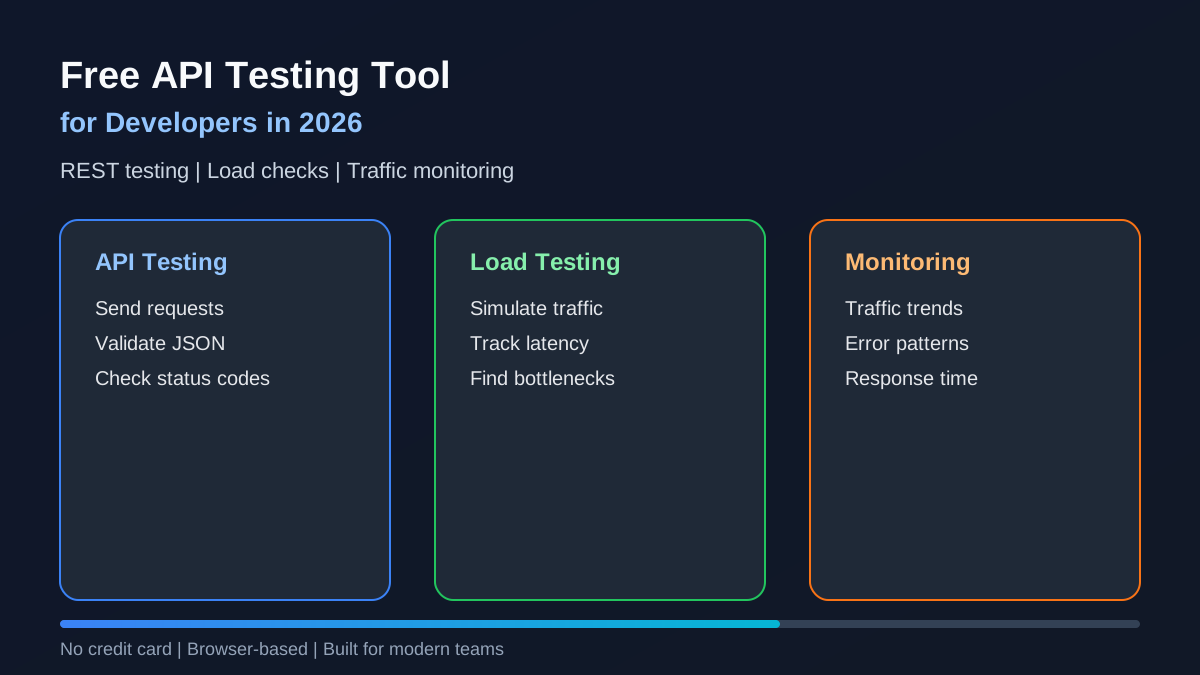
A free API testing tool is one of the most useful resources for developers, QA engineers, SaaS teams, and backend builders in 2026. APIs power mobile apps, SaaS dashboards, ecommerce platforms, AI tools, payment systems, CRMs, and almost every modern digital product.
But testing APIs should not always require a paid subscription, complex setup, or heavy desktop software.
Whether you are building a small backend, testing a REST API, checking response time, debugging errors, or preparing your API for real users, the right free API testing tool can help you move faster and avoid expensive issues before launch.
In this guide, you will learn what a free API testing tool should include, which features matter most, when to use browser-based testing, and how API Test Lab helps developers test APIs, run load checks, and monitor traffic from one workflow.
What Is a Free API Testing Tool?
A free API testing tool helps developers send requests to an API endpoint and inspect the response without writing full test scripts manually.
With a good API testing tool, you can test things like:
- GET requests
- POST requests
- PUT and PATCH requests
- DELETE requests
- Headers
- Query parameters
- Request body data
- JSON responses
- Status codes
- Response time
- Authentication
- API errors
- Load behavior
- Traffic patterns
For example, if you have an endpoint like:
GET /api/productsYou can test whether it returns the right status code, correct JSON structure, expected data, and acceptable response speed.
A free API testing tool is especially useful when you are still developing your backend and need quick feedback.
Why Developers Need API Testing in 2026
Modern applications depend heavily on APIs. A single broken API can affect login, payments, checkout, search, dashboards, notifications, reporting, and third-party integrations.
Developers need API testing because it helps answer important questions:
- Is the API working?
- Is the API returning the right data?
- Is the response time acceptable?
- What happens when traffic increases?
- Are errors handled properly?
- Can users depend on this endpoint?
- Will the API survive production usage?
In 2026, APIs are no longer only backend features. They are business-critical systems. If an API fails, the product experience fails.
That is why API testing should happen before deployment, during development, and after launch.
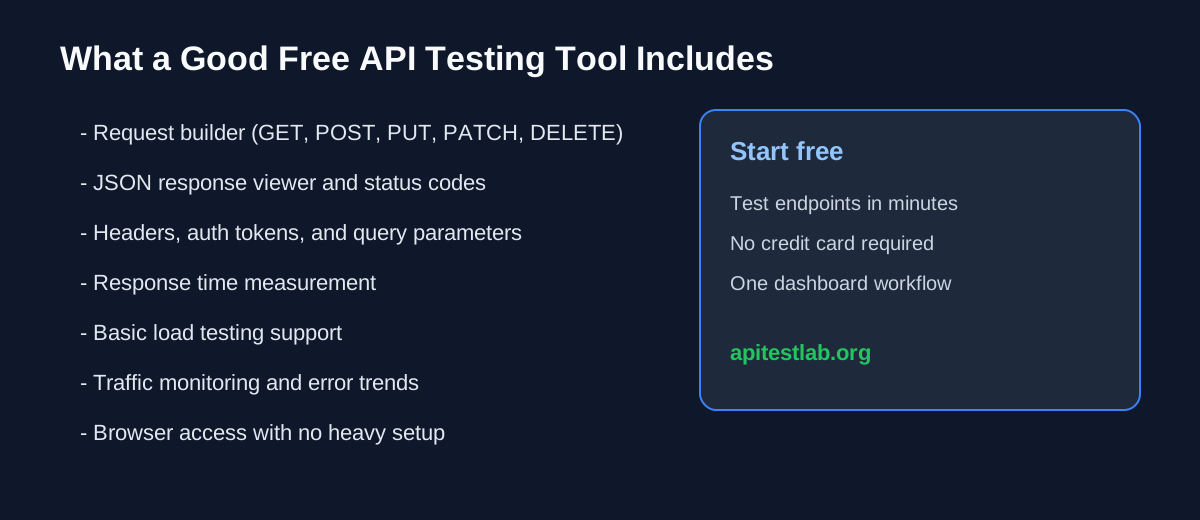
Key Features of a Good Free API Testing Tool
Not every free API testing tool is useful for real developer workflows. Some tools are too limited, some require complex setup, and some only solve one part of the problem.
Here are the key features developers should look for.
1. Easy Request Builder
A strong API testing tool should make it simple to create and send requests.
You should be able to test GET, POST, PUT, PATCH, and DELETE, and add headers, query parameters, JSON body, authorization tokens, and custom request data.
2. Clear Response Viewer
After sending a request, developers need to understand the result quickly.
A good free API testing tool should show status code, response body, response headers, response time, error messages, JSON formatting, and request details.
For example, if your API returns:
{
  "status": "success",
  "data": {
    "id": 101,
    "name": "Test Product"
  }
}
The tool should display it clearly so you can confirm the API response is correct.
3. REST API Testing Support
Most developers need REST API testing for endpoints, HTTP methods, status codes, JSON responses, request payloads, authentication flows, and error handling.
4. Load Testing Support
Functional testing tells you whether an API works. Load testing tells you whether it can handle traffic.
A good API load testing tool helps you check response time under load, error rate, failed requests, traffic capacity, bottlenecks, and stability during multiple requests.
5. API Traffic Monitoring
API traffic monitoring helps developers understand what is happening after requests start flowing.
Useful traffic monitoring includes request count, error trends, slow endpoints, status code patterns, response time changes, usage spikes, and failed request behavior.
6. Browser Based Testing
A browser based API testing tool reduces setup time. You do not need to install heavy desktop software.
7. No Credit Card Requirement
Free access helps developers start faster without subscription pressure on MVPs, side projects, and early-stage teams.
Free API Testing Tool vs Paid API Testing Platform
A free API testing tool is usually enough for basic and early-stage workflows: testing endpoints, debugging requests, checking response data, running simple load checks, and learning API testing basics.
A paid API testing platform may be useful later when you need enterprise collaboration, large test suites, advanced automation, team permissions, CI/CD integrations, long-term monitoring history, advanced reporting, and compliance features.
API Test Lab: Free API Testing Tool for Developers
API Test Lab is built for developers who want a simple way to test APIs, run load checks, and monitor traffic from one workflow.
You can use API Test Lab to:
- Test API endpoints
- Send API requests
- Check response data
- Review status codes
- Measure response time
- Run load checks
- Monitor API traffic
- Find performance issues
- Improve API reliability
[Start free at API Test Lab](/signup) no credit card required.
Who Should Use a Free API Testing Tool?
A free API testing tool is useful for backend developers, frontend developers, QA engineers, SaaS founders, agencies, and students learning how APIs work.
Common API Testing Use Cases
Practical situations where a free API testing tool helps:
- Testing login APIs (correct credentials, wrong password, missing fields, expired tokens)
- Testing product APIs (listing, details, search, pagination, invalid IDs)
- Testing payment APIs (success, failure, invalid amount, duplicate requests)
- Testing SaaS dashboard APIs (metrics, permissions, filters, large datasets)
- Testing API performance (response time, failed requests, timeout behavior)
Free API Testing Tool Checklist
A good free API testing tool should include:
- Simple request builder
- REST API testing support
- JSON response viewer
- Status code display
- Response time measurement
- Header and query parameter support
- Request body support
- Load testing support
- Traffic monitoring
- No heavy setup
- Easy browser access
- Clear interface
- Useful free plan
How to Test an API Using a Free Tool
1. Choose your endpoint (example: `GET /api/users`)
2. Select the HTTP method
3. Add headers (for example `Content-Type` and `Authorization`)
4. Add request body for POST, PUT, or PATCH
5. Send the request
6. Check the status code (200, 201, 400, 401, 404, 429, 500)
7. Review the response body
8. Measure response time
9. Run a load check if the API will receive real users
10. Monitor traffic patterns and errors after testing
API Testing Metrics Developers Should Track
- Status code
- Response time
- Error rate
- Throughput
- Latency
- Failed requests
Best Practices for API Testing in 2026
- Test early during development
- Test common user flows (signup, login, search, checkout)
- Test error cases (missing data, invalid tokens, rate limits)
- Test performance before launch
- Monitor after deployment
- Keep API responses consistent
- Document important endpoints
Free API Testing Tool vs Postman
Postman is popular, but many developers prefer a free browser-based tool when they want fast testing, simple request sending, lightweight workflow, and basic load testing without complex setup.
See our Postman alternative for load testing guide for a deeper comparison.
Free API Testing Tool vs k6
k6 is strong for scripted load testing. A browser-based free API testing tool may be better when you want no-code or low-setup testing, quick load checks, visual results, and faster onboarding.
Read k6 vs no-code tools for more context.
Why Browser Based API Testing Is Growing
Browser based API testing is popular because it offers no installation, easy access, faster testing, lower setup time, and a clean interface for remote teams and solo developers.
When Should You Start API Load Testing?
Start before launch, before marketing campaigns, before major features, before onboarding large clients, before seasonal traffic, and after backend or database changes.
Signs Your API Needs Better Testing
Slow response times, random 500 errors, timeout issues, failed frontend requests, high server usage, user complaints, broken login flows, payment failures, and inconsistent response data are all signals to prioritize API testing and monitoring.
How API Test Lab Helps Developers Ship Faster
API Test Lab helps you test APIs, simulate load, and monitor traffic from one dashboard reducing tool switching so you can focus on fixing real issues.
Use the API tester, load tester, and traffic monitor from one workflow.
Example API Testing Workflow
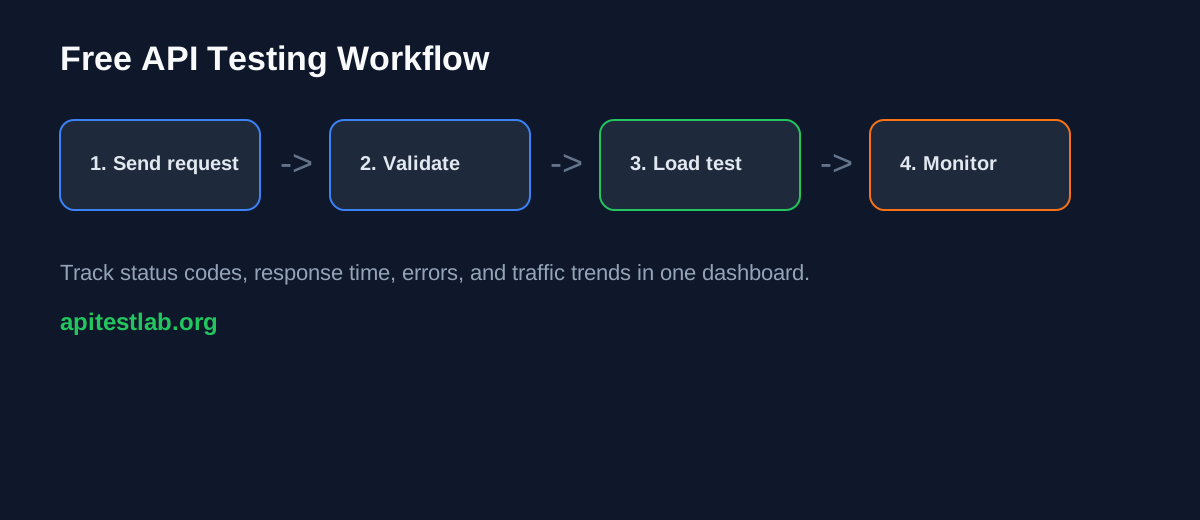
1. Test the main endpoint
2. Test invalid input
3. Test authentication
4. Test response time
5. Test under load
6. Check error rate
7. Monitor traffic
8. Fix bottlenecks and retest
Common Mistakes Developers Make During API Testing
- Only testing happy paths
- Ignoring response time
- Not testing under load
- Forgetting authentication edge cases
- Not checking error messages
- Skipping monitoring after launch
Final Thoughts
A free API testing tool is essential for developers in 2026. It helps you test endpoints, validate responses, measure performance, run load checks, and monitor API traffic without slowing down your workflow.
API Test Lab gives developers a simple way to test APIs, simulate load, and monitor traffic from one dashboard.
[Start free today](/signup) no credit card required.
FAQ
What is the best free API testing tool for developers?
The best free API testing tool depends on your workflow. Developers should look for request testing, response viewing, status code checks, response time tracking, load testing, and traffic monitoring.
Can I test REST APIs for free?
Yes. You can test REST APIs for free using browser-based API testing tools like API Test Lab.
Do I need a credit card to use a free API testing tool?
Some tools require a credit card, but many developers prefer tools that allow free testing without payment details. Always check the free plan before starting.
Is API testing only for backend developers?
No. API testing is useful for backend developers, frontend developers, QA engineers, SaaS founders, agencies, and students.
What is the difference between API testing and API load testing?
API testing checks whether an API works correctly. API load testing checks how the API performs when many requests are sent at the same time.
Can API testing improve performance?
Yes. API testing can help find slow endpoints, failed requests, timeout issues, and bottlenecks that affect performance.
Is API Test Lab a browser based API testing tool?
Yes. API Test Lab helps developers test APIs, run load checks, and monitor traffic from a browser-based workflow.
How often should I test my APIs?
You should test APIs during development, before deployment, after major changes, and whenever performance or error issues appear.
More from the blog
Read 3 related articles from our latest posts.