Browser Based API Testing Tool: No Install Required (2026 Guide)
Learn how a browser based API testing tool lets you test REST APIs without installing software. Features, workflows, and best practices for 2026.
Modern software runs on APIs. Whether you're building a SaaS platform, mobile application, eCommerce website, or AI product, APIs connect services and power user experiences. Before deploying your application, it's important to ensure your APIs work correctly, respond quickly, and can handle real traffic.
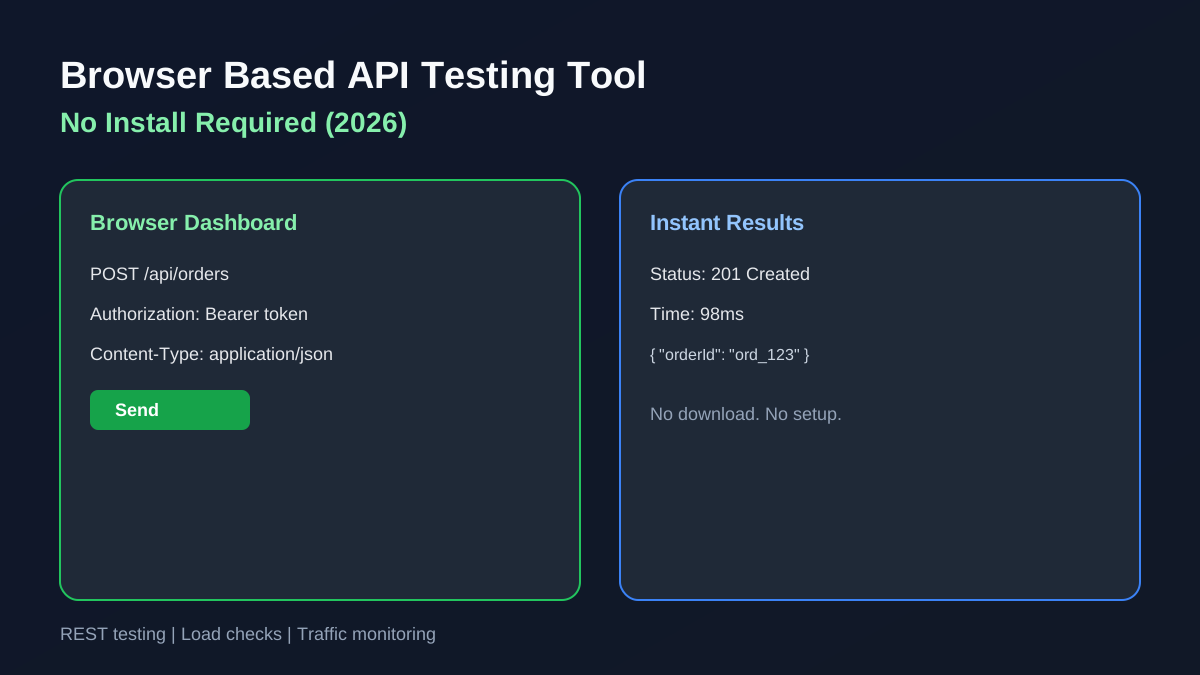
A browser based API testing tool allows developers to test REST APIs directly from their web browser without downloading or installing desktop software. This approach simplifies development, speeds up testing, and enables teams to collaborate from anywhere.
In this guide, you'll learn how browser-based API testing works, why it's becoming the preferred choice for modern developers, and what features you should look for when choosing an API testing platform.
For related guides, see our Online API Testing Tool overview and API Testing for Beginners primer.
What Is a Browser Based API Testing Tool?
A browser based API testing tool is a web application that allows developers to send HTTP requests, inspect API responses, validate data, and measure performance directly from a browser.
Instead of installing desktop software, you simply open your browser, enter an endpoint, configure your request, and review the results.
Most browser-based API testing tools support:
- GET, POST, PUT, PATCH, and DELETE requests
- Custom headers
- Query parameters
- Authentication tokens
- JSON request bodies
- Response validation
- Status code inspection
- Response time measurement
- Basic load testing
- API traffic monitoring
Because everything runs online, developers can test APIs from Windows, macOS, Linux, or even tablets without additional setup.
Why Developers Prefer Browser-Based API Testing
Development workflows have changed dramatically over the last few years. Teams are increasingly remote, applications are cloud-based, and developers expect tools to be available anywhere.
A browser based API testing tool offers several advantages over traditional desktop software.
No Installation Required
There's nothing to download or configure. Simply open the application in your browser and begin testing.
Works on Any Device
Whether you're using Windows, macOS, Linux, or ChromeOS, the experience remains consistent.
Faster Onboarding
New developers can begin testing immediately without spending time installing software or importing workspaces.
Easier Collaboration
Sharing API requests and testing workflows is much simpler when everyone uses the same browser-based platform.
Always Up to Date
Since the application runs online, new features and improvements are available automatically without manual updates.
How Browser-Based API Testing Works
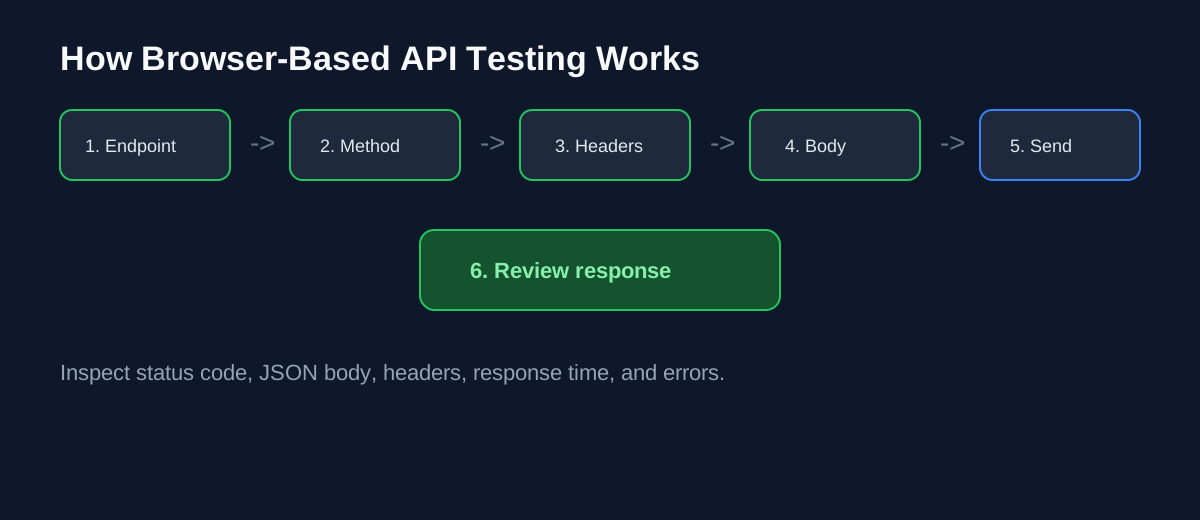
Testing an API from your browser typically follows these steps:
Step 1: Enter the API Endpoint
Example:
GET https://api.example.com/usersStep 2: Select the HTTP Method
Choose the appropriate request type: GET, POST, PUT, PATCH, or DELETE.
Step 3: Add Headers
Common headers include:
Authorization: Bearer YOUR_TOKEN
Content-Type: application/json
Step 4: Add Request Data
For POST or PUT requests:
{
  "name": "John Smith",
  "email": "john@example.com"
}
Step 5: Send the Request
Execute the request with a single click.
Step 6: Review the Response
Analyze HTTP status code, response body, response headers, response time, and error messages.
For a deeper REST workflow, read How to Test REST APIs.
Key Features Every Browser Based API Testing Tool Should Include
Not all API testing tools provide the same capabilities. Before choosing one, make sure it includes these essential features.
REST API Testing
Support for all standard HTTP methods and REST endpoints.
JSON Response Viewer
Proper formatting makes it easier to inspect returned data.
Authentication Support
Look for support for API keys, bearer tokens, basic authentication, and OAuth.
Response Time Analysis
Performance is just as important as functionality. A good tool should measure response time and highlight slow endpoints.
Load Testing
Functional testing verifies correctness. Load testing verifies scalability. Running multiple simultaneous requests helps identify bottlenecks before deployment. See How to Load Test APIs.
Traffic Monitoring
Traffic monitoring provides visibility into slow endpoints, error rates, request volume, and response trends.
Browser Based API Testing vs Desktop API Testing
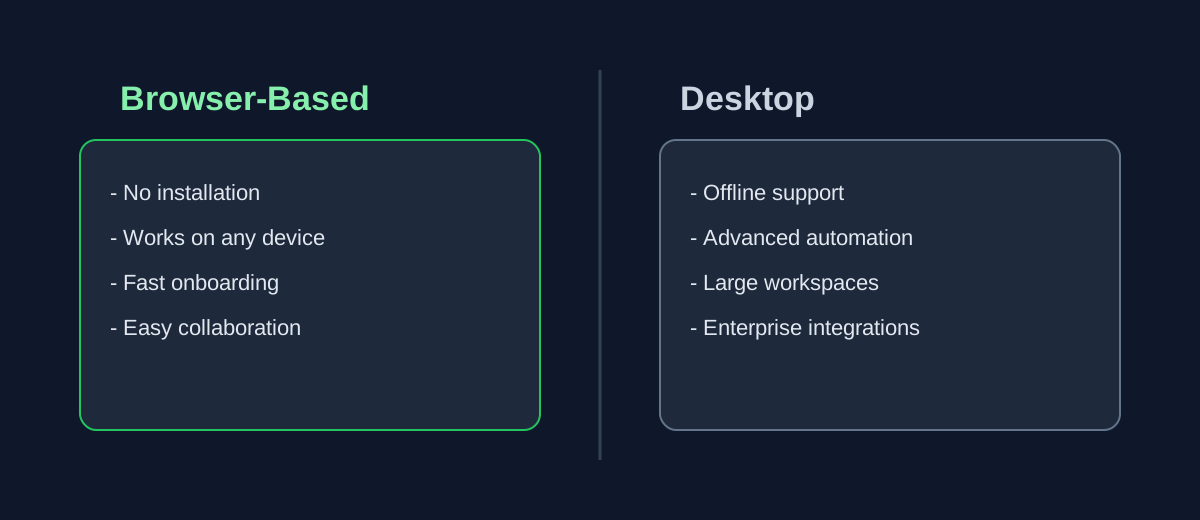
Browser-Based Tools
Advantages:
- No installation
- Fast setup
- Accessible anywhere
- Cross-platform
- Easy collaboration
Ideal for freelancers, SaaS startups, agencies, students, and small development teams.
Desktop API Testing Tools
Advantages:
- Offline support
- Advanced automation
- Large workspace management
- Enterprise integrations
Ideal for large organizations, complex enterprise testing, and advanced scripting workflows.
Both approaches have value, but browser-based testing continues to grow because of its simplicity.
Benefits for Development Teams
Browser-based testing improves development in several ways.
Faster Development Cycles
Developers spend less time configuring tools and more time building software.
Better Collaboration
Everyone works from the same environment.
Lower Maintenance
No software installations or update management.
Increased Productivity
Testing APIs becomes part of the normal development workflow.
Easier Learning
New developers can begin testing within minutes.
Common Use Cases
A browser based API testing tool is useful for many scenarios:
Testing Authentication APIs
Validate login, registration, and token refresh endpoints.
Payment APIs
Ensure payment requests return correct responses and handle failures properly.
Product APIs
Verify search, filtering, pagination, and product details.
AI APIs
Test prompt submissions, response generation, and token usage.
Internal APIs
Debug services used between microservices.
Third-Party APIs
Validate integrations before releasing features.
Best Practices for Browser-Based API Testing
To get the most value from API testing, follow these recommendations.
Test Early
Begin testing while APIs are being developed.
Validate Every Response
Don't only check status codes. Verify response structure and returned data.
Test Error Scenarios
Check invalid requests, missing parameters, authentication failures, invalid JSON, and rate limiting.
Measure Performance
Monitor response times during development.
Run Load Tests
Test APIs with concurrent requests before production deployment.
Continue Monitoring
Testing before launch isn't enough. Continue monitoring APIs after deployment.
For bottleneck analysis, read How to Find API Bottlenecks.
Browser Based API Testing for REST APIs
REST APIs remain the most common API architecture.
A browser based API testing tool should support GET, POST, PUT, PATCH, and DELETE requests.
Developers should also verify status codes, JSON formatting, authentication, response speed, and error handling.
API Test Lab
API Test Lab is a browser based API testing tool built for developers who want a faster workflow.
Instead of switching between multiple applications, you can:
- Test REST APIs
- Send HTTP requests
- Inspect responses
- Measure response time
- Run API load tests
- Monitor traffic
- Identify performance bottlenecks
Everything works directly from your browser. No installation. No complicated setup.
[Start testing free](/signup) or compare options in our Free API Testing Tool for Developers guide.
If you are evaluating load testing platforms, also read Postman Alternative for Load Testing.
Frequently Asked Questions
What is a browser based API testing tool?
A browser based API testing tool lets developers test REST APIs online without downloading desktop software.
Can I test REST APIs directly from a browser?
Yes. Modern API testing platforms allow you to send requests, inspect responses, and measure performance directly from a web browser.
Is browser-based API testing secure?
Most browser-based tools support HTTPS connections, authentication tokens, and secure request handling.
Can browser-based tools perform load testing?
Many modern platforms, including API Test Lab, include lightweight load testing capabilities for evaluating API performance.
Do I need coding experience?
Basic knowledge of REST APIs is helpful, but most browser-based tools provide intuitive interfaces suitable for beginners and experienced developers alike.
Final Thoughts
Choosing the right browser based API testing tool can improve development speed, reduce setup time, and help teams identify issues before they reach production.
Whether you're building a SaaS platform, mobile application, AI product, or enterprise backend, browser-based testing offers a fast, convenient, and efficient way to validate APIs without installing additional software.
API Test Lab combines API testing, load testing, and traffic monitoring into a simple browser-based experience, making it easier to build reliable APIs with confidence.
[Start testing today](/signup) at API Test Lab.
More from the blog
Read 3 related articles from our latest posts.