Free API Testing Tools Compared No Credit Card Needed (2026)
Hands-on comparison of free API testing tools in 2026: Postman, Insomnia, Thunder Client, curl, and API Test Lab. Pros, cons, and picks no credit card.
Introduction
If you are searching for free API testing tools, you are not alone. Teams want to validate endpoints before shipping, but nobody wants another subscription line item just to send a JSON POST and read a status code. Free tiers matter because they let you learn the workflow, share requests with teammates, and decide whether a paid plan is worth it laterideally without handing over a credit card on day one.
I spent about two hours in each tool below: signing up where required, building a simple authenticated GET, saving something reusable, and noting where friction showed up. This is not a benchmark lab with synthetic RPS numbers; it is a practical review of what it feels like to use the best free API testing software for everyday work. If you are brand new to the topic, skim our API Testing Overview first, then REST API Testing Basics for verbs and status codes. When you are ready for a full playbook, the How to Test REST APIs guide walks through methods, auth, and checklists. If you are weighing vendors side by side, our comparison hub collects alternative angles in one place.
Throughout this article I use “free” honestly: no paid plan required to start, and I call out where free API testing without sign up is realistic versus where an account is effectively mandatory for serious use.
What makes a good free API testing tool
Before the individual reviews, here is the checklist I used. It doubles as the column headers for the comparison table later.
- Auth and headers Can you set Bearer tokens, API keys, and custom headers without fighting the UI?
- Collections or saved requests Can you reproduce the same call tomorrow without rebuilding it from memory?
- Scripting and automation Pre-request scripts, tests on the response, or export to CI?
- Team workflows Sharing, versioning, or at least copy-paste friendly exports?
- Limits Rate limits, request caps, or feature gates on the free tier?
- Offline and privacy Does traffic go through a browser vendor, a cloud proxy, or only your machine?
- Fit Does the tool match a quick one-off, a daily driver, or a pipeline?
Keep that list in mind as you read. The “best” tool is the one that matches your constraintsnot the logo you already know.
API Test Lab
Key features
API Test Lab is our own web-based workspace for exercising HTTP APIs and related workflows. You get a focused request builder, readable response panels, and a path toward saving and reusing work as you move from a one-off check to something your team can repeat. It is aimed at people who want to move quickly without installing a heavy desktop suite first.
Pros
- Fast to start in the browserno installer if that is your constraint.
- Tight product focus on API testing and related flows rather than a sprawling plugin ecosystem you may never touch.
- Honest positioning for teams already comparing options in publicsee our comparison page alongside this review.
Cons
- Younger ecosystem than Postman: fewer third-party tutorials with “API Test Lab” in the title.
- You still need good habitssaved requests only help if you name and organize them.
- Not a magic replacement for discipline on auth secrets; treat tokens like production credentials.
Best for
Solo developers and small teams who want a credible free API testing tools option that stays close to the actual job: send requests, inspect responses, iterate.
How it compares to API Test Lab
This section *is* API Test Lab. The fair benchmark is: does it earn a slot next to the incumbents? After hands-on use, I biased toward clarity over feature countif you need a specific enterprise integration, validate it in your own environment.
Postman
Key features
Postman is the best-known name in API clients. Collections, folders, environments, and a huge library of community examples make it the default suggestion in many tutorials. The free tier still covers a lot: building requests, basic test scripts, and sharing at small-team scale depending on current plan limits.
Pros
- Industry defaultdocumentation and Stack Overflow answers often assume Postman.
- Rich scripting in tests and pre-request hooks for token refresh patterns.
- Collections export and Newman for turning GUI work into CI steps.
Cons
- Heavier UX than a minimal client; new users can drown in panels.
- Free tier limits have shifted over timecloud runs, collaborators, and advanced features can push you toward paid plans.
- Account and sync are central; free API testing without sign up is not the core experience.
Best for
Teams that want one familiar client for developers and QA, plus a path to automation without switching products.
How it compares to API Test Lab
Postman wins on ecosystem size and historical muscle memory. API Test Lab can feel lighter if you mainly need to test APIs without carrying every enterprise feature. If Postman’s limits bite you, our REST API pillar still appliesswap the client, keep the methodology.
Insomnia
Key features
Insomnia pitches a calmer editing experience for REST and GraphQL. The open-source lineage matters to teams who want to inspect behavior and self-host or fork when policy requires it. Design plugins and Kong-related history may matter if you are already in that stack.
Pros
- Cleaner UI than many competitors for straight HTTP debugging.
- Open source credibility for security reviews that ask “who owns the code?”
- Solid environment variables for switching dev and staging bases.
Cons
- Smaller mindshare than Postman in generic blog postsfewer copy-paste examples.
- Feature split between editions can confuse what is free forever versus commercial.
- You still manage exports and team process yourself for mature governance.
Best for
Developers who want a lightweight REST client with open-source roots and a modern editor feel.
How it compares to API Test Lab
Insomnia and API Test Lab both reward people who dislike clutter. If you need deep Kong integration, Insomnia may align; if you want a product that pairs API testing with how we position load and comparison workflows, try API Test Lab on the same project and compare friction honestly.
ReqBin
Key features
ReqBin is an online HTTP client that runs in the browser. You paste a URL, pick a method, add headers and body, and fire the request. That makes it attractive when you are on a locked-down machine and cannot install desktop software.
Pros
- Very fast for one-off checks when you already know the URL and token.
- Nothing to installstrong fit for “just let me see the response” moments.
- Simple mental model for teaching beginners what a raw request looks like.
Cons
- Trust and privacy: sending real tokens through any online proxy deserves a policy conversation.
- Limited as a system of record compared with full clientsorganization and team workflows are thinner.
- Not where you want long-lived secrets without reading their terms carefully.
Best for
Quick public API probes, demos, and educationnot necessarily production secret handling without safeguards.
How it compares to API Test Lab
ReqBin wins on instant access. API Test Lab is a better home when the same API becomes a recurring test surface and you want saved work and product continuity. For fundamentals, API testing overview explains why ad-hoc tools are a starting point, not the whole strategy.
Thunder Client

Key features
Thunder Client lives inside Visual Studio Code. You open a sidebar, create requests, and keep everything next to your code. That removes context switching for developers who already spend all day in the editor.
Pros
- No separate app if VS Code is already open.
- Lightweight compared with running a full standalone client.
- Good for small teams that standardize on VS Code.
Cons
- VS Code lock-innot helpful if your team uses JetBrains or another IDE exclusively.
- Automation story differs from mature CLI pipelinesyou may still export or duplicate work.
- Feature depth may trail dedicated clients for huge collections and complex auth flows.
Best for
Developers who want in-editor REST calls during feature work.
How it compares to API Test Lab
Thunder Client wins when the editor is the hub. API Test Lab wins when testers, PMs, or mixed stacks need a browser-first workflow without installing VS Code everywhere. Combine either with the practices in how to test REST APIs so the tool does not dictate quality.
REST Client extensions for VS Code
Key features
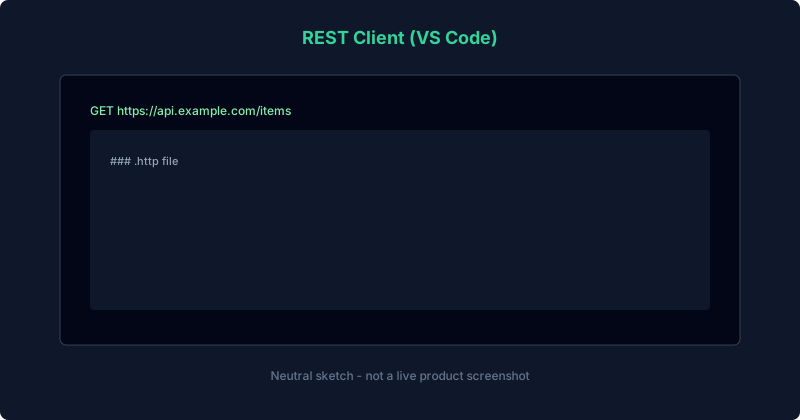
The REST Client family of extensions (popularized by Huachao Mao’s approach) stores requests in `.http` files inside your repo. You write plain text definitions, execute them from the editor, and commit them next to code. That blurs the line between “manual check” and “living documentation.”
Pros
- Git-friendlyrequests live in version control with code review.
- Readable diffs when endpoints change.
- Free in practice because the extension model is built for open workflows.
Cons
- Text-firstless guided than a GUI wizard for newcomers.
- Discipline requiredbadly organized files turn into sprawl.
- Not one canonical vendor experienceextensions vary by name and maintainer.
Best for
Teams that want requests as code without adopting a full proprietary collection format.
How it compares to API Test Lab
REST Client shines when engineers own the files. API Test Lab targets a broader tester-and-dev audience who may prefer a productized UI for exploratory work. Both can coexist: exploratory in one, committed `.http` files for stable routes.
cURL, HTTPie, and CLI-first workflows
Key features
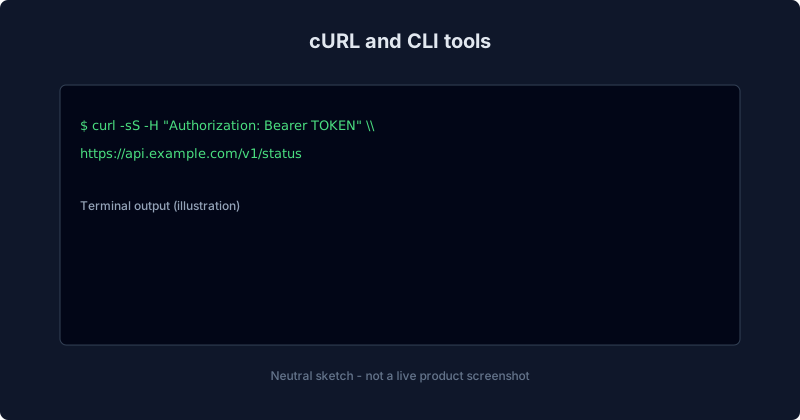
cURL ships almost everywhere. HTTPie and similar tools add nicer syntax and defaults on top. For API testing, the CLI pattern is: script the request, pipe output to `jq`, and wire the same command into CI. This is free API testing software in the truest sense: no GUI vendor at all.
Pros
- Universalworks on servers, containers, and laptops.
- Automation-nativethe same command you type is the one Jenkins or GitHub Actions runs.
- No GUI overhead for headless environments.
Cons
- Steep for beginners compared with clicking “Send.”
- Harder collaboration unless you wrap commands in docs or scripts everyone understands.
- Easy to leak secrets into shell history if you are careless with flags.
Best for
Backend engineers, SREs, and anyone building repeatable checks in pipelines.
How it compares to API Test Lab
cURL wins in CI and servers. API Test Lab wins for interactive exploration and sharing with non-terminal-heavy teammates. If you live in both worlds, keep REST basics handy for status codes while you script the same scenarios.
Custom scripts and in-house frameworks
Key features
Many teams outgrow every GUI and standardize on code: Jest, pytest, Playwright’s API features, or bespoke harnesses. You model tests as plain software with fixtures, mocks, and assertions. “Free” here means open-source libraries plus your engineers’ timenot a missing price tag.
Pros
- Unlimited flexibilityif you can code it, you can test it.
- First-class integration with your repo, linters, and review process.
- Scales to complex auth flows and multi-step scenarios.
Cons
- Maintenance cost is realtests are code debt if nobody owns them.
- Slower feedback for pure exploration than a visual client.
- Onboarding friction for testers who do not live in the same stack.
Best for
Mature teams with CI maturity and dedicated ownership of test code.
How it compares to API Test Lab
Custom stacks win at volume and rigor. API Test Lab still matters for discovery: finding edge cases before you codify them. Use the comparison hub when you pitch stakeholders on when to buy versus build.
Feature comparison matrix
| Tool | Best free fit | Account for real use | Collections / reuse | Scripting / CI | Privacy / offline |
|---|---|---|---|---|---|
| API Test Lab | Daily API checks in browser | Yes for saved workflows | Yes | Growing | Browser; use secrets carefully |
| Postman | Teams wanting standard client | Typically yes | Strong | Strong (incl. Newman) | Desktop + cloud sync model |
| Insomnia | Clean REST editing | Often yes | Yes | Moderate | Desktop-focused |
| ReqBin | One-off online probes | Light | Weak | Limited | Data passes through service |
| Thunder Client | VS Code users | Extension install | Moderate | Limited | Local to editor |
| REST Client | Text-first repos | Optional | Strong via files | Via shell / CI | Repo-local |
| cURL / CLI | Pipelines and servers | No for raw CLI | Via scripts | Excellent | Full control |
| Custom code | Regulated or huge suites | N/A | N/A | Excellent | Your infrastructure |
Recommendations by use case
- “I need free API testing without sign up for a quick public GET.” Use cURL or a careful online client; avoid pasting secrets into untrusted tabs.
- “I live in VS Code.” Try Thunder Client or REST Client extensions; graduate to saved `.http` files in Git.
- “I need the mainstream default.” Postman is still the tutorial lingua francapair it with our REST guide so you test behavior, not just 200 OK.
- “I want open source and a calm UI.” Insomnia remains a strong pick.
- “I want browser-first without enterprise bloat.” API Test Lab is built for that laneopen features to see what shipped recently.
- “I am choosing between vendors.” Use Compare after you list must-have integrations.
FAQ
What are the best free API testing tools in 2026?
There is no single winner. Postman and Insomnia remain popular, VS Code extensions win for in-editor workflows, cURL wins in CI, and API Test Lab is a strong browser-first optionpick based on team, privacy, and automation needs.
Is Postman still free?
Postman offers a free tier with real value, but limits and features change. Treat the official pricing page as source of truth and assume heavy collaboration or cloud runs may eventually need a paid plan.
Can I do free API testing without sign up?
Yes for CLI tools like cURL. Some browser tools advertise instant use; anything that stores history in the cloud usually wants an account for serious work. Read terms before sending production tokens.
Is Insomnia better than Postman?
“Better” depends on taste. Insomnia often feels lighter for straight REST; Postman has a larger ecosystem. Try both on the same endpoint and compare friction.
Are online API clients safe?
They can be fine for public endpoints. For private data, prefer local clients or scripts where secrets never leave machines you control.
How does API Test Lab fit in?
It targets fast, honest API testing in the browser with a roadmap aligned to teams comparing alternativessee Compare and the individual reviews above.
Do I need programming for API testing?
Not to start. GUIs help you learn verbs, headers, and bodies. Programming matters when you automateour overview explains the progression.
Try API Test Lab free
You have seen honest tradeoffs for eight approaches. When you are ready to test in the browser without a credit card gate, open [API Test Lab](/tester) and send your first request. Explore features to see how we stack up against the tools you already knowthen keep the methodology from our REST API testing guide as your source of truth.
More from the blog
Read 3 related articles from our latest posts.