Postman vs API Test Lab (2026): Honest Comparison
Postman vs API Test Lab compared for setup, REST testing, load testing, pricing, and team workflows. Find the best postman alternative for your stack in 2026.
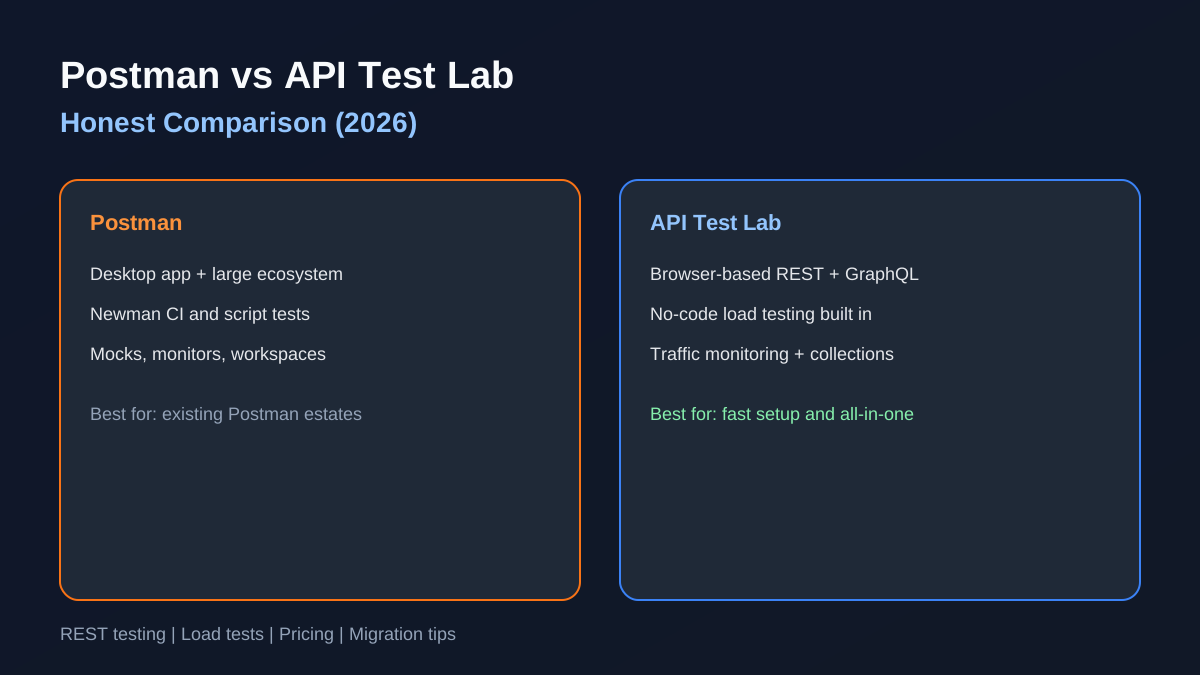
If you are comparing Postman vs API Test Lab, you are really asking two questions: which tool gets you to a working request fastest, and which product still fits when you add load testing, monitoring, and team workflows. This guide answers both with a practical 2026 comparisonnot a feature spreadsheet copied from marketing pages.
Quick verdict
| If you need… | Choose |
|---|---|
| The industry default with the largest tutorial ecosystem | Postman |
| Browser-based REST testing + load tests + traffic monitoring in one account | API Test Lab |
| Lowest time-to-first-request on a new laptop | API Test Lab (no desktop install) |
| Newman/CI pipelines you already built around Postman collections | Postman (unless you re-export) |
Many teams use a desktop client for deep work and a browser API testing tool for quick checksAPI Test Lab is built for the second workflow without giving up collections and auth.
Setup and time to first request
Postman requires installing the desktop app (or using the web variant with account sync). First launch includes workspace setup, optional team invites, and learning the panel layout. Expect 5–10 minutes before you are comfortably sending a authenticated POST.
API Test Lab runs in the browser. Sign up, open the Test Lab, paste a URL, and send a request in under two minutes. There is no IT approval step for installing software on locked-down machines.
For contractors, students, and frontend developers who only need to hit an API occasionally, that difference matters more than a hundred advanced panels.
API testing features compared
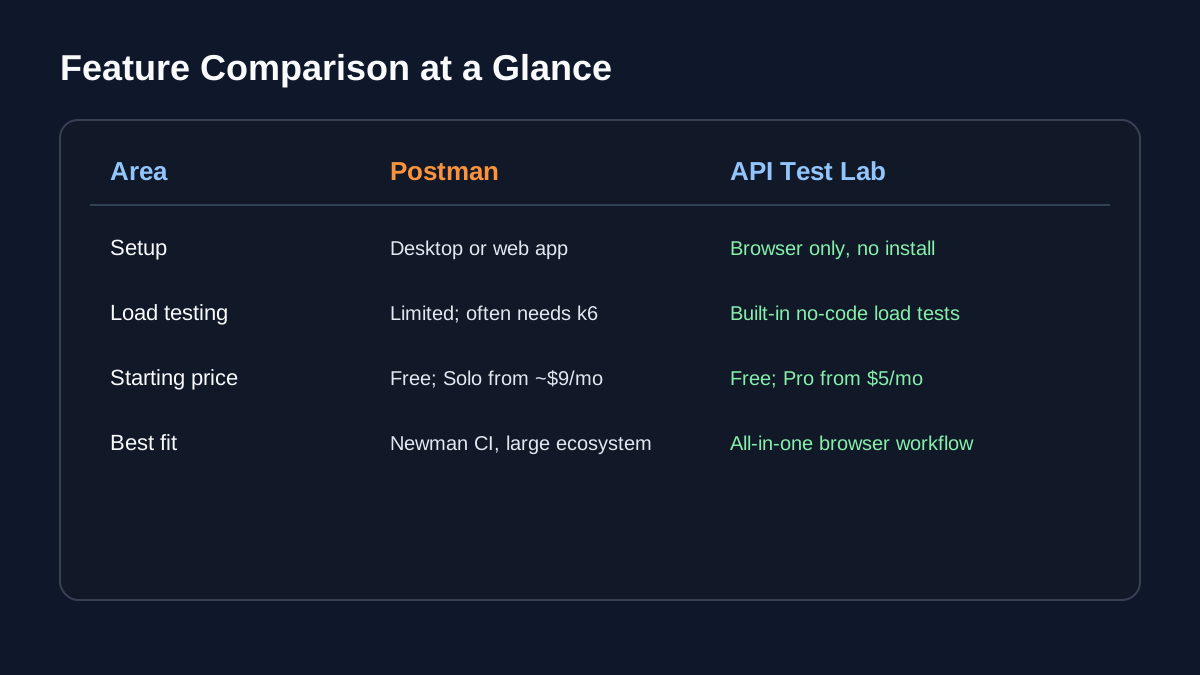
Both tools cover the REST basics you expect from a modern REST API client online:
| Capability | Postman | API Test Lab |
|---|---|---|
| Request builder (methods, headers, body) | Yes | Yes |
| Bearer / API key / Basic auth | Yes | Yes |
| Saved requests & folders | Yes | Yes |
| Environment variables | Yes | Yes |
| Response inspection (JSON, headers, timing) | Yes | Yes |
| OpenAPI import | Yes | Yes |
| GraphQL | Yes | Yes (dedicated GraphQL tester) |
| Assertions / tests | Script-based tests | UI assertions + scripts (REST) |
Postman’s scripting model is mature: pre-request scripts, test tabs, and Newman for CI. API Test Lab biases toward visual workflowsassertions in the UI, workflows that chain saved requests, and AI explanations when a response looks wrong.
If your team already writes JavaScript tests in Postman, migrating those scripts takes effort. If you mainly need to test API online and validate responses before deploy, API Test Lab covers the same ground with less setup.
Load testing and monitoring
This is where the products diverge sharply.
Postman offers limited load testing on lower tiers; serious performance work often pushes teams toward k6, Grafana Cloud, or dedicated load tools.
API Test Lab includes no-code load testing in the same product as the request builder. Configure virtual users, watch p95 latency in real time, and reuse the same saved request you debugged five minutes ago. A traffic monitoring snippet also records client-side API performance on live sites.
If your search started as “postman alternative” because you do not want three subscriptions (client + load + monitor), API Test Lab is designed as that consolidated workflow.
Pricing snapshot (2026)
| Product | Starting price | Notes |
|---|---|---|
| Postman | Free tier; paid Solo from ~$9/mo (annual) | Limits on collaboration, monitors, and cloud runs change over timeverify on postman.com |
| API Test Lab | Free, Pro $5/mo, Max $20/mo | See pricing for current limits |
“Free” on both sides still means account creation for serious use. Neither is a anonymous test API online playground without sign-up for saved workbut both let you start without a credit card.
When Postman is the better fit
- You rely on Newman or existing Postman collections in CI.
- Your organization standardized on Postman workspaces and audit features.
- You need the largest set of third-party tutorials and Stack Overflow answers.
- You want every advanced API lifecycle feature (mock servers, monitors, flows) in one vendor.
When API Test Lab is the better fit
- You want a browser API testing tool with nothing to install.
- You need load testing without learning k6 scripts.
- You are a solo developer or small team optimizing for speed and cost.
- You are searching for an online REST API tester that also handles monitoring.
Explore the dedicated product pages: API testing tool, online API testing tool, and REST API testing tool.
Migration tips (Postman → API Test Lab)
1. Export collections from Postman as JSON or use OpenAPI from your API repo.
2. Import OpenAPI in API Test Lab to recreate folders and requests.
3. Recreate environments (base URL, tokens) in the environment panel.
4. Replace Newman with API Test Lab workflows for chained smoke tests; keep Newman for legacy pipelines until you migrate CI.
Next steps
- Compare all major tools side by side
- Start free and open the Test Lab
- Read how to test REST APIs for methodology that works in any client
The best postman vs api test lab decision is the one that matches how your team actually worksnot the logo on last year’s slide deck.
More from the blog
Read 3 related articles from our latest posts.