How to Test GraphQL APIs: Queries, Mutations, and Errors
Build repeatable GraphQL API checks for queries, mutations, variables, HTTP responses, partial data, validation failures, and authorization.
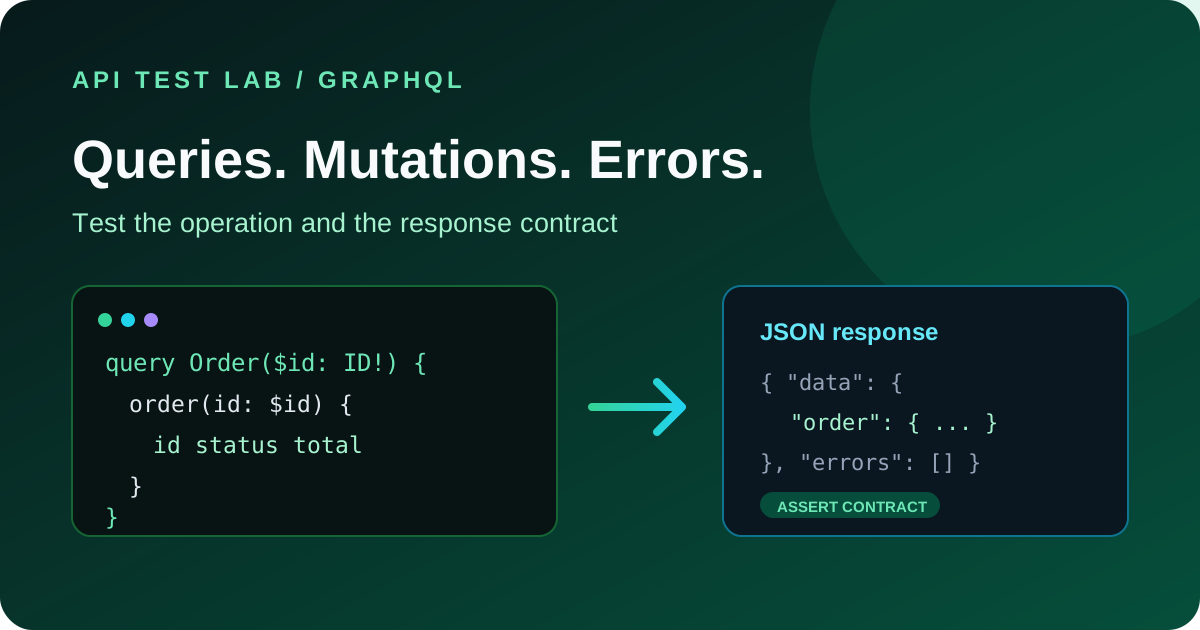
GraphQL exposes a typed schema through one or a small number of HTTP endpoints. That changes the shape of an API test: the URL may stay the same while the query, variables, selected fields, and authorization rules change. Test those parts explicitly rather than treating every response as an ordinary REST endpoint.
Send a query with variables
Most GraphQL servers accept a JSON body containing `query` and `variables`. This example uses a placeholder endpoint and a variable instead of inserting user input directly into the query string:
POST /graphql HTTP/1.1
Host: api.example.com
Content-Type: application/json
Accept: application/json

{
  "query": "query OrderById($id: ID!) { order(id: $id) { id status total } }",
  "variables": { "id": "order_demo" }
}
Equivalent `curl` request:
curl -i 'https://api.example.com/graphql' \
  -H 'Content-Type: application/json' \
  -H 'Accept: application/json' \
  --data '{"query":"query OrderById($id: ID!) { order(id: $id) { id status total } }","variables":{"id":"order_demo"}}'
In API Test Lab, set the method to `POST`, use the GraphQL endpoint, add the JSON content type, and put the query and variables in the request body. If the API Test Lab GraphQL tester is enabled for your account, you can also enter the operation in its query editor.
Check the successful response contract
Do not assert only that the HTTP status is 200. Verify that `data` exists, the requested object is present, field types match the schema, and nullable fields behave as documented. Also check that the API does not return fields that the caller did not request unless the server's contract explicitly adds them.
Example response:
{
  "data": {
    "order": {
      "id": "order_demo",
      "status": "processing",
      "total": 24.5
    }
  }
}
Use a known test record and keep test data isolated so the result is repeatable.
Test mutations as state changes
Mutations can create or update data, so use a disposable test account and predictable test input. A mutation might look like:
mutation CreateOrder($input: CreateOrderInput!) {
  createOrder(input: $input) {
    order { id status }
    errors { code message }
  }
}
Pass the input as variables, assert the returned identifier and state, then verify the state through a follow-up query. Also test invalid input and duplicate submission behavior. Make destructive cases idempotent or provide cleanup so rerunning the test does not create unlimited records.
Cover GraphQL's distinct error shapes
GraphQL errors may be returned with HTTP 200 because the server successfully processed the GraphQL request even though an operation or resolver failed. A response can contain both `data` and `errors` when only part of the operation succeeds.
Test these cases separately:
| Failure | What to assert |
|---|---|
| Invalid GraphQL syntax | Error is returned; no resolver side effect occurs |
| Unknown field or invalid argument | Validation error identifies the operation safely |
| Missing required variable | Request fails before mutation side effects |
| Resolver failure | `errors` is present and partial `data` matches the contract |
| Unauthenticated request | Protected fields are not returned |
| Authenticated but unauthorized request | Access is denied without leaking protected values |
| Invalid content type or malformed JSON | Appropriate HTTP-level client error |
For errors, assert the GraphQL `errors` array and any documented `extensions.code`, not just the HTTP status. Avoid asserting entire stack traces or unstable database messages.
Check authorization at field level
GraphQL APIs can expose many object types through one endpoint. A role allowed to read an order may not be allowed to read its payment details or another user's order. Test access to each sensitive field and object with at least two test identities. Verify that an unauthorized nested field does not expose data through aliases, fragments, or a different query path.
Check query limits and operational behavior
GraphQL's flexibility can produce expensive nested queries. Confirm that the service enforces documented depth, complexity, timeout, and request-size limits. Test persisted-query behavior if the API uses it. Avoid sending denial-of-service style queries to production; use a staging environment and approved limits.
Turn the checks into a repeatable workflow
Save the operation, variables, auth context, and expected data or errors together. Run the same query after schema or resolver changes, and add a regression case whenever a production bug is fixed. For general HTTP fundamentals, see how to test a REST API and API testing strategies.
More from the blog
Read 3 related articles from our latest posts.