How to Test File Upload APIs with Multipart Form Data
Test multipart file uploads from request construction through response validation, including content types, size limits, invalid files, and security checks.
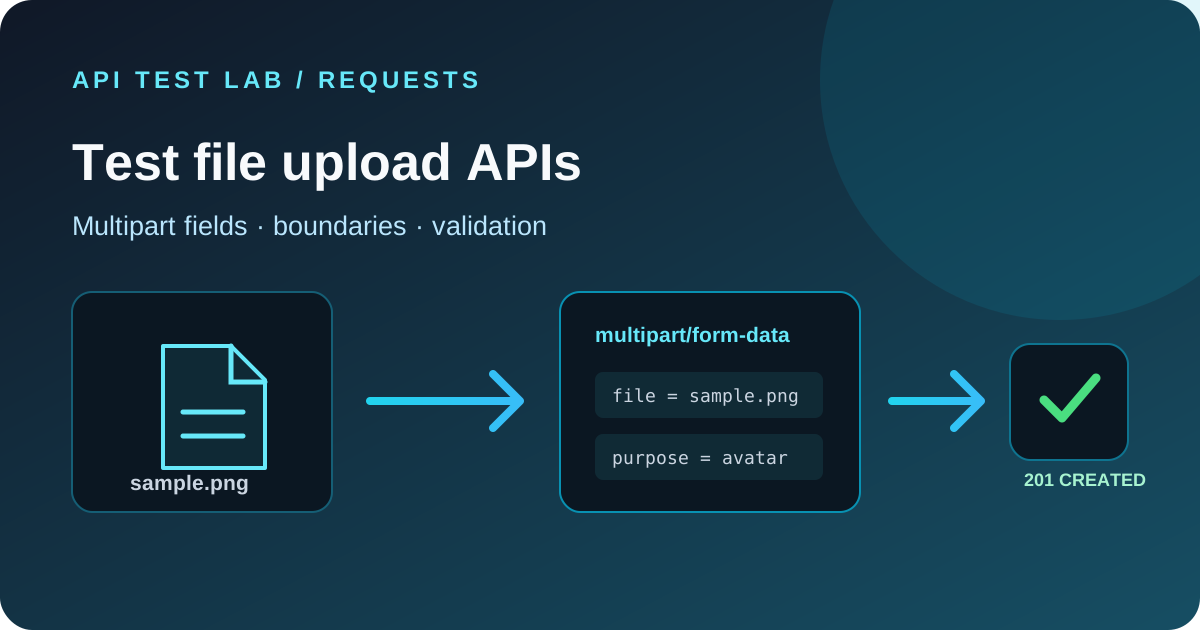
File upload endpoints combine an HTTP request with a binary file, metadata, authentication, and server-side validation. A reliable test checks the multipart request shape, successful storage behavior, rejection cases, and the response contract.
Build a multipart request
For `multipart/form-data`, the client creates a boundary that separates the form fields and file content. With `curl`, use `-F` and let curl set the content type and boundary:
curl -i 'https://api.example.com/v1/files' \
  -H 'Authorization: Bearer YOUR_TEST_TOKEN' \
  -F 'file=@./sample.png;type=image/png' \
  -F 'purpose=avatar'
Do not manually set `Content-Type: multipart/form-data` in this curl command. The generated header needs the boundary value; curl supplies it. In a browser `fetch()` request using `FormData`, also leave `Content-Type` unset so the browser can add the boundary.
In API Test Lab, choose the documented upload endpoint, set the required authentication, add the file field using the request builder's file or form-data control, and add any metadata fields. If the current request editor does not offer binary form-data fields, use the curl example to verify the endpoint and capture the same expected response contract in your test notes.
Assert the successful upload
Do not stop at a 200 or 201 response. Check that the response includes the documented file identifier, safe display name, size, media type, and retrieval or processing state. If the API returns a URL, confirm whether it is intentionally public, signed, or temporary. Verify that the uploaded file can be retrieved only by an authorized caller and that the returned metadata matches the submitted file.
Keep a small fixture in your test repository with a known checksum and content type. Avoid real personal data or malware samples in ordinary integration tests.
Test validation and failure cases
| Case | What to verify |
|---|---|
| Missing file field | Clear client error and no stored object |
| Empty file | Accepted or rejected according to the contract |
| File above size limit | Documented 413 or validation response; no partial object |
| Unsupported extension or media type | Rejected based on server-side validation |
| Mismatched extension and file content | Detected where content inspection is required |
| Missing or invalid credentials | Upload is denied and no file is stored |
| Duplicate filename | Defined overwrite, rename, or conflict behavior |
| Interrupted request | No corrupt file is exposed as complete |
| Too many files or fields | Request limits are enforced |
Check error bodies for a stable code and useful message. Avoid asserting framework stack traces or filesystem paths.
Verify security behavior
Treat the client-provided filename and content type as untrusted. The server should generate storage names, enforce size and type limits, validate file content where appropriate, and store uploads outside executable paths. Confirm that private uploads require authorization and that one user cannot retrieve another user's file by changing an identifier.
Test decompression, image processing, and document scanning limits in a controlled environment. Do not send oversized or malicious payloads to production without explicit approval and a safe test plan.
Check the server's multipart parser
When an upload fails, inspect the raw request headers and server logs. Common causes include a missing boundary, wrong form field name, middleware size limits, reverse-proxy limits, and a server that expects JSON metadata in a separate field. Compare the actual request with the API's OpenAPI schema or examples.
Keep the upload endpoint in a reusable collection with a small test fixture. Assert the response status and JSON fields, then add separate requests for rejection cases. For ordinary JSON requests and status-code assertions, see how to test a REST API and API testing strategies.
A repeatable upload checklist
1. Use a small, non-sensitive fixture.
2. Let the client generate the multipart boundary.
3. Send the exact form field names and required metadata.
4. Assert response fields and retrieval permissions.
5. Test empty, oversized, unsupported, unauthenticated, and duplicate cases.
6. Confirm rejected uploads leave no partial or publicly accessible object.
7. Keep credentials and private upload URLs out of committed examples.
More from the blog
Read 3 related articles from our latest posts.