API Environment Variables: Manage Development, Staging, and Production Safely
Separate API hosts and credentials by environment, control variable precedence, and prevent production writes during testing.
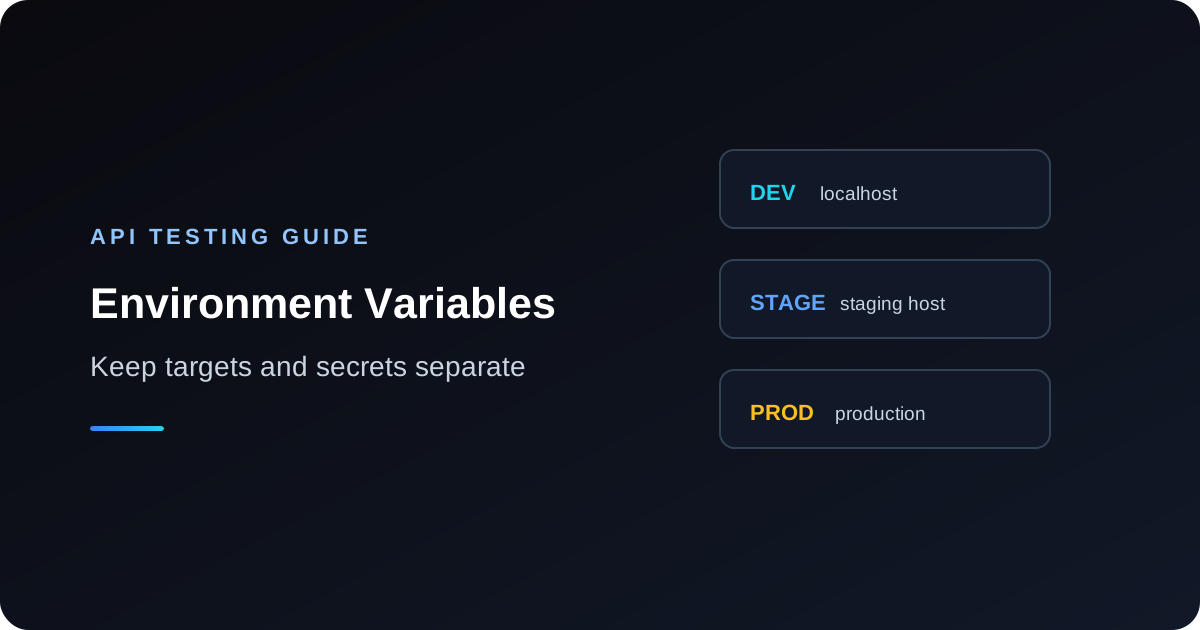
API environment variables keep hosts, tokens, and other configuration separate from reusable request definitions. A safe setup makes the selected environment visible, uses distinct least-privilege credentials, and makes production writes difficult to trigger by accident. Variable syntax and precedence vary between clients, so treat the examples below as generic unless your tool documents otherwise.
Separate host and credential values
Keep a request template independent from the environment that supplies its host and credential. A generic template might use `{{base_url}}/v1/orders` and `Authorization: Bearer {{api_token}}`. Define separate values for each target:
Development
base_url = http://localhost:3000
api_token = local-test-token

Staging
base_url = https://api.staging.example.test
api_token = staging-scoped-token

Production
base_url = https://api.example.com
api_token = production-token-with-minimum-required-access
These `{{name}}` placeholders are generic examples, not a claim about API Test Lab's exact variable parser. The repository and product pages confirm an environment-variable and switching workflow, but exact precedence and syntax should be checked in the current application before relying on them. Use the product's current interface for setup rather than assuming labels or controls.
Know variable precedence and unresolved values
Clients may support global, workspace, environment, folder, or request-level values. The winner can depend on scope and override rules. Write down the precedence in the tool documentation and test it with harmless values. If two scopes define `base_url`, confirm which one resolves. Prefer one clear source for a given setting instead of relying on accidental shadowing.
An unresolved placeholder can lead to a malformed URL or a request sent to the wrong place if the client substitutes an empty string or leaves the token literal. Before sending, inspect the resolved URL and headers with secrets redacted. Add a preflight check in your own scripts that fails if required variables are empty or still contain placeholder syntax.
Make production hard to select accidentally
Use local development as the default environment. Give staging and production unmistakable names and visually distinct base URLs. If possible, use separate accounts and network or approval controls for production. Before a write request, verify the hostname, account, and resource ID. Keep production credentials out of ordinary developer environments and do not use production to test destructive negative cases.
In scripts, make the target explicit rather than relying on whichever shell environment happens to be loaded:
API_BASE_URL="https://api.staging.example.test" \
API_TOKEN="STAGING_TEST_TOKEN" \
curl -i "$API_BASE_URL/v1/health" \
  -H "Authorization: Bearer $API_TOKEN"
This is a generic shell example. A health request is read-only only if the endpoint contract says so; do not assume any route is safe from its name alone.
Share templates without sharing secrets
Commit request examples with placeholder names, not secret values. Keep secret-bearing local environment files out of version control and use a managed secret store for CI or deployment systems. Share request structure and documented non-secret settings separately from tokens. Check exports, collection links, screenshots, copied curl commands, and debug logs for resolved values before sharing them.
API Test Lab's product documentation describes environment variables, and its security page states that public collection shares omit environment variable values and show names only. Review the current sharing behavior before relying on it for a particular export format; never publish a secret merely because a UI is expected to redact it.
Rotate credentials and reduce exposure
Issue different credentials for development, staging, and production. Grant each only the methods and resources it needs. Prefer short-lived credentials when available. Rotation should include creating the replacement, updating the intended environment, verifying it, and revoking the old credential. Test both sides of the change so stale tokens stop working and the new token has only expected permissions.
Redact values in application logs, CI output, shell history, screenshots, issue reports, and exported request files. Avoid printing full environment dumps for debugging. If a secret is accidentally shared, revoke it; deleting the text from a repository does not make the credential safe again.
A practical environment checklist
- [ ] Confirm each environment has a distinct base URL and credential.
- [ ] Keep development selected by default and label production clearly.
- [ ] Verify precedence and unresolved-variable behavior in the chosen client.
- [ ] Inspect the final destination and redacted headers before a write.
- [ ] Use least-privilege, non-production accounts for routine testing.
- [ ] Share request templates with placeholders and keep secret values separate.
- [ ] Review exports, logs, screenshots, and CI output for leaked values.
- [ ] Rotate exposed credentials and revoke old ones.
- [ ] Test production-only workflows with a safe review or approval step.
For credential-specific guidance, read API authentication testing and how to test an API with a bearer token. For release targeting, see API regression testing.
References
Use API Test Lab's documented environment switching workflow to keep request templates reusable, and confirm the selected target before sending mutations.
More from the blog
Read 3 related articles from our latest posts.